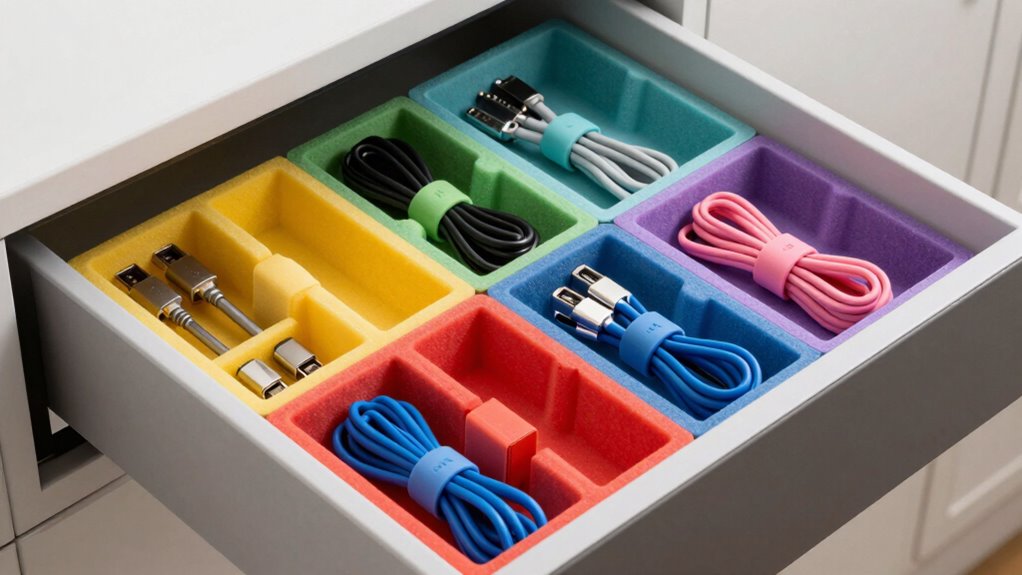

To store your adapters so you can find them fast, use small containers or compartmental organizers to keep each type separated and labeled clearly. Bundle adapters with their cables and label them with device info so you know exactly which is which. Keep frequently used adapters in easily accessible spots, and store less-used ones in a designated, less reachable area. Tidy and review your setup regularly to stay organized—continue exploring for more tips to streamline your storage even further.
Key Takeaways
- Use labeled, compartmentalized containers or tackle boxes for quick identification and easy access.
- Bundle adapters with their corresponding cables using cable clips or zip ties to prevent tangling.
- Designate specific storage spots for each adapter type and keep frequently used ones within reach.
- Regularly review and declutter to remove broken or unused adapters, maintaining organized storage.
- Implement a consistent labeling system with clear, durable tags for fast recognition.
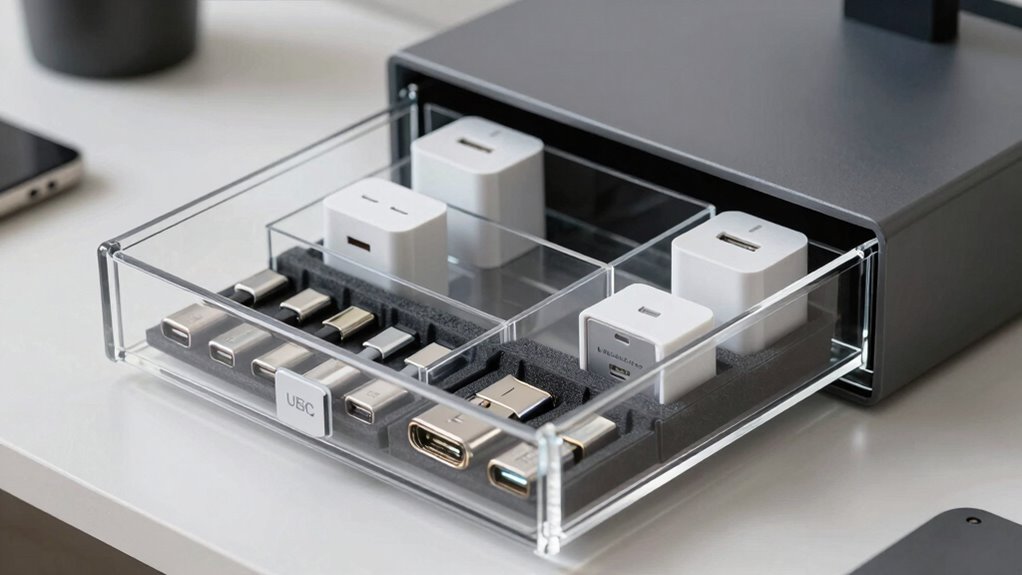
Storing adapters properly can save you time and prevent damage when you need them. When you’re searching for the right adapter in a cluttered drawer or box, it can feel like looking for a needle in a haystack. To avoid this frustration, it’s essential to develop an organized system that keeps your adapters accessible and in good condition. Cable management is a key part of this, helping you keep cords and adapters neatly separated so nothing gets tangled or lost. Using small containers, zip ties, or cable clips can help bundle each adapter with its corresponding cable, making it easier to identify and retrieve later. Avoid tossing adapters into random drawers; instead, designate specific storage spots for different types or sizes, so you always know where to look.
Organize adapters with containers and labels to save time and prevent damage.
Labeling techniques play a critical role in quick retrieval. When you label your adapters, you instantly know what each one is for without rummaging through multiple items. Use clear, durable labels—either with a marker, label maker, or adhesive tags—to mark each adapter with its device type, compatibility, or a brief description. For example, label an adapter “MacBook 60W” or “Android Charger” to make identification straightforward. Stick labels directly on the adapters or on small storage containers, depending on what works best for your setup. Consistent labeling helps you develop a visual system where you can instantly recognize the right adapter, saving you valuable time. Incorporating organized storage solutions can further enhance your system by keeping everything neat and accessible. Regularly reviewing and tidying your storage system ensures it remains effective. Remove broken adapters, or ones you no longer use, and update labels if needed. This ongoing maintenance keeps your system efficient and prevents clutter from building up. Understanding adapter compatibility can also help prevent mismatches and protect your devices from potential damage.
Additionally, natural pool designs can inspire creative storage solutions, such as integrating stylish containers or decorative labels that complement your backyard aesthetic. To further improve your system, consider color coding adapters based on their function or device compatibility, which can make quick identification even easier. Another tip is to sort adapters by their usage frequency. Keep the ones you use daily in a dedicated, easy-to-reach container, while storing seldom-used adapters in a labeled, less accessible spot. This way, you don’t waste time digging through a pile to find something you need regularly. When it’s time to store your adapters, consider using a small tackle box or a compartmentalized organizer. These containers keep everything separated and prevent tangling, making it easier to grab what you need without disturbing the rest. Proper adapter storage methods also help prevent damage caused by exposure to dust or moisture, ultimately extending their lifespan.

Alouxop 8 Individual Cable Organizer Boxes With Base, Cord Storage Organizer With Labels And Cable Straps For Charging Cables, Adapters, Earphones (8 pcs Individual Cable, 1 Pack)
- Number of Storage Cases: 8 individual storage boxes
- Organization Purpose: Stores cables, adapters, earphones
- Removable & Portable: Each case is removable for easy access
As an affiliate, we earn on qualifying purchases.
As an affiliate, we earn on qualifying purchases.
Frequently Asked Questions
What Types of Storage Containers Are Best for Adapters?
You should use small, clear adapter cases or dedicated storage drawers to keep your adapters organized. Adapter cases are great for individual pieces, making it easy to see and access what you need quickly. Storage drawers work well for larger collections, allowing you to sort adapters by type or size. Both options help prevent losing parts and save you time when searching for the right adapter.
How Do I Prevent Adapters From Tangling?
Picture your adapters neatly wrapped like tiny presents, each with a color-coded label. To prevent tangling, use cable management tools like twist ties, Velcro straps, or small zippered pouches that keep each adapter separate. Make certain compatibility by storing adapters with matching cables and labeling them clearly. This way, you avoid knots and confusion, making your collection easy to access and organized, saving you time and frustration.
Can I Label Adapters for Easier Identification?
Yes, you can definitely label adapters for easier identification. Use adhesive labels or color-coded tags to clearly mark each adapter’s purpose or device compatibility. Adapter labeling helps you quickly identify the right one without rummaging through your collection, saving you time. Make certain the labels are durable and visible, especially if you store your adapters in a drawer or container. This simple step ensures fast identification whenever you need an adapter.
What’s the Best Way to Organize Adapters by Type?
To organize adapters by type, you should use labeled compartments or small containers to separate different categories. Incorporate cable management techniques like cable ties or clips to keep cords tidy. Store electronic accessories together in a dedicated drawer or box, making it easy to find what you need quickly. Clear labeling and designated sections help you maintain order, reduce clutter, and guarantee your adapters and accessories are always accessible.
How Often Should I Review and Reorganize My Stored Adapters?
You should review and reorganize your stored adapters every three to six months to maintain efficiency. During these reviews, focus on adapter cleaning to remove dust and debris, which helps prolong their lifespan. Also, check for any damage to guarantee storage safety. Regularly inspecting and reorganizing prevents clutter, makes adapters easier to find, and keeps your setup safe and functional. Consistent upkeep is key to a smooth workflow.

Cable Organizer Storage Box with 7 Wire Ties,Desktop Cable Management Box with Switch, Power Cord Organizer for Office,Home,Desk Accessories Storage Stationery Supplies(Clear)
- High-Quality Transparent Plastic: Durable, dustproof, and easy to see contents
- Stackable Design: 7 compartments to save space
- Multi-Purpose Storage: Organizes cables, chargers, jewelry, and cosmetics
As an affiliate, we earn on qualifying purchases.
As an affiliate, we earn on qualifying purchases.
Conclusion
By giving your adapters a dedicated home, you turn chaos into harmony, making each connection easy to find like a familiar path through a well-tended garden. When everything has its place, you’ll glide through your day without the pesky weeds of misplaced chargers. Think of your organized space as a cozy, inviting nook—where every adapter is ready to lend a hand, quietly waiting to slip into action whenever you need it.

18PCS Multi-Color Clear Plastic MicroSD Card Holder Case for 18 TF Cards
- Capacity: Holds 18 MicroSD cards independently
- Material: Made of high-impact, durable PP plastic
- Design: Transparent with snap-tight, sealed lid
As an affiliate, we earn on qualifying purchases.
As an affiliate, we earn on qualifying purchases.

Amazon Basics 19-Removable Compartment Small Parts Organizer, Portable Hardware Storage Box with Customizable Compartments, Black, Orange, 16.5 x 13.2 x 2.4 inches
- Durable Plastic Construction: Robust plastic for long-lasting use
- Secure Locking Lid: Heavy-duty latches for reliable closure
- Removable Compartments: 19 customizable compartments for organization
As an affiliate, we earn on qualifying purchases.
As an affiliate, we earn on qualifying purchases.