
To keep your inverter running smoothly, prioritize regularly checking the batteries for voltage, corrosion, and capacity, and replace them when needed. Inspect the cooling system for dust, leaks, and proper function to prevent overheating. Make certain all connections are tight and free of corrosion, and promptly address any warning messages. Keeping the firmware updated helps maintain system stability. By staying on top of these key areas, you’ll ensure reliable performance—more tips await to help you master inverter maintenance.
Key Takeaways
- Regularly monitor and replace batteries showing signs of deterioration or reduced capacity.
- Inspect and clean cooling components to prevent overheating and extend inverter lifespan.
- Tighten and clean wiring connections to ensure efficient and safe operation.
- Keep firmware and software updated to maintain system stability and security.
- Conduct routine inspections and understanding of system components to prevent unforeseen failures.
Maintaining inverter models is crucial to guarantee their peak performance and longevity. When you care for your inverter properly, you ensure it functions efficiently over time, avoiding costly repairs or replacements. One of the most critical aspects of this maintenance is monitoring the battery performance. Your inverter relies heavily on the health of its batteries to deliver consistent power, so regularly checking the battery voltage, electrolyte levels, and overall condition is essential. If you notice signs of corrosion, swelling, or reduced capacity, it’s time to replace or service the batteries. Proper battery maintenance minimizes downtime and ensures your system remains reliable, especially during peak usage periods.
Regular battery checks prevent failures and ensure reliable inverter performance during peak usage.
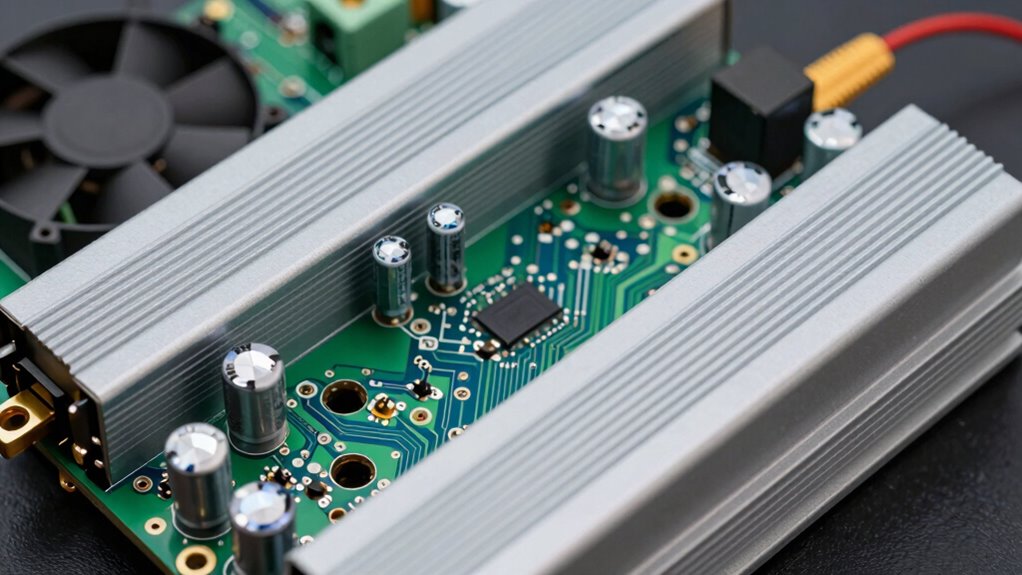
Equally important is attending to the cooling system. Overheating can greatly diminish your inverter’s lifespan and cause unexpected failures. You should routinely inspect the cooling fans, heat sinks, and ventilation pathways to make sure they’re free of dust, dirt, or any obstructions. Keeping these components clean promotes ideal airflow, which helps dissipate heat effectively. If your inverter has liquid cooling, regularly check coolant levels and look for leaks or signs of deterioration. Effective cooling prevents thermal stress on internal components, maintaining the inverter’s efficiency and preventing overheating-related shutdowns. Additionally, understanding the cooling system components can help you identify potential issues before they cause system failures. Regularly inspecting these parts can also extend the overall lifespan of your inverter. Furthermore, being aware of the thermal management techniques can help optimize your inverter’s operation and prevent damage caused by excessive heat.
Beyond batteries and cooling, you should also keep an eye on the inverter’s connections and wiring. Loose or corroded connections can lead to voltage drops and inefficient power transfer, ultimately affecting performance. Periodic tightening and cleaning of terminals and connectors help maintain a stable electrical flow. Additionally, inspecting the inverter’s display for error messages or warning lights can alert you to underlying issues early on. Addressing these alerts promptly can prevent minor problems from escalating into costly failures. Recognizing the signs of wear in your wiring and connectors can further help in early detection and preventative maintenance.
Lastly, don’t forget the importance of software updates if your inverter model supports them. Manufacturers often release firmware updates that improve system stability, efficiency, and security. Keeping your inverter’s software current ensures it operates with the latest optimizations, reducing the risk of bugs or vulnerabilities. Regular maintenance routines, including cleaning, inspections, and updates, help you sustain peak performance and extend the inverter’s service life. When you take these proactive steps, you’re not just maintaining a piece of equipment—you’re safeguarding your power system and ensuring reliable energy supply for years to come. Additionally, understanding the importance of cooling systems can significantly impact the longevity and efficiency of your inverter.

Weize Deep Cycle AGM 12 Volt 100Ah Battery, Maintenance-Free, 3% Self-Discharge Rate, 1150A Max Discharge Current, Perfect for RV, Solar, Trolling Motor, Wind, Marine, Camping and Off-Grid System
MAINTENANCE FREE: 12.99x 6.73x 8.43 inches. Weize 12v 100Ah sealed lead acid battery is manufactured with absorbent glass…
As an affiliate, we earn on qualifying purchases.
As an affiliate, we earn on qualifying purchases.
Frequently Asked Questions
How Often Should Inverter Filters Be Replaced?
You should replace your inverter filters according to the recommended maintenance schedule, typically every 6 to 12 months. Regular filter replacement guarantees peak performance and prevents dust buildup that can strain the system. Check the manufacturer’s guidelines for specific intervals, especially if your inverter operates in dusty or humid environments. Staying on top of your maintenance schedule will extend your inverter’s lifespan and keep it running efficiently.
What Are Signs of Inverter Component Failure?
Watch for failure indicators like unusual noises, overheating, or frequent shutdowns, which signal inverter component failure. Component diagnostics can reveal issues with capacitors, transistors, or fans, often before complete failure occurs. Ignoring these signs risks system downtime. Stay vigilant, perform regular inspections, and use diagnostic tools to catch early failure indicators. Addressing these signs quickly helps prevent costly repairs and keeps your inverter running smoothly.
Can Inverter Maintenance Be DIY or Require Professionals?
You can do basic inverter maintenance yourself if you prioritize DIY safety, like turning off power and wearing protective gear. However, for complex issues or diagnostics, it’s best to depend on professionals who have the right tools and expertise. Regular checks can help, but always know your limits to avoid risks. Professional diagnostics ensure accurate assessments and safe repairs, ultimately extending your inverter’s lifespan.
How Does Ambient Temperature Affect Inverter Maintenance Needs?
Think of your inverter as a delicate plant that needs just the right climate. When ambient temperatures rise, it’s like turning up the heat—your inverter’s cooling requirements increase, making temperature monitoring essential. You’ll need to check for proper ventilation and perhaps clean cooling fans more often. Cold weather can be gentler, but extreme heat demands vigilant maintenance to prevent overheating and keep your inverter running smoothly.
Are There Specific Maintenance Items for Different Inverter Brands?
Yes, different inverter brands often require specific maintenance. You should focus on brand-specific diagnostics to identify issues early and perform model-specific servicing to guarantee peak performance. Regularly check for firmware updates, inspect cooling systems, and test safety features tailored to each brand. By following manufacturer guidelines, you can maintain inverter reliability, extend lifespan, and prevent costly repairs, regardless of the brand you use.

NC5332H74A MMF-09D24TS-MM6 Cooling Fan 24V 92mm – 0.22A 9225 3-Wire Inverter Cooling Fan
NC5332H74A MMF-09D24TS-MM6 Cooling Fan 24V 92mm – 0.22A 9225 3-Wire Inverter cooling Fan
As an affiliate, we earn on qualifying purchases.
As an affiliate, we earn on qualifying purchases.
Conclusion
Remember, keeping your inverter in top shape is like tending a garden—you water, prune, and check regularly to guarantee vibrant growth. Prioritize the essential maintenance items, such as inspecting connections and cleaning filters, to keep your system humming smoothly. When you stay proactive, you’ll enjoy a steady flow of clean power, much like a well-tended stream that never runs dry. With a little care, your inverter will serve you reliably for years to come.

TKDMR Battery Terminal Cleaners (2 pcs),12 pcs Battery Terminal Anti-Corrosion Fiber Washers (6 Red & 6 Green) for Car Marine Battery
Quantity: comes with 10 pieces battery anti-corrosion washers(5 red & 5 green) and 2pcs Battery Terminal Cleaning Brush.
As an affiliate, we earn on qualifying purchases.
As an affiliate, we earn on qualifying purchases.

Cobra 10’ Cobra Cable Installation Kit for High Wattage Power Inverters – Compatible With 1500 Watt and 2500 Watt Output Power Inverters
HEAVY DUTY POWER – The Cobra 4-AWG Heavy-Duty AC Power Inverter Cable Kit is ideal for installing professional…
As an affiliate, we earn on qualifying purchases.
As an affiliate, we earn on qualifying purchases.