
TL;DR
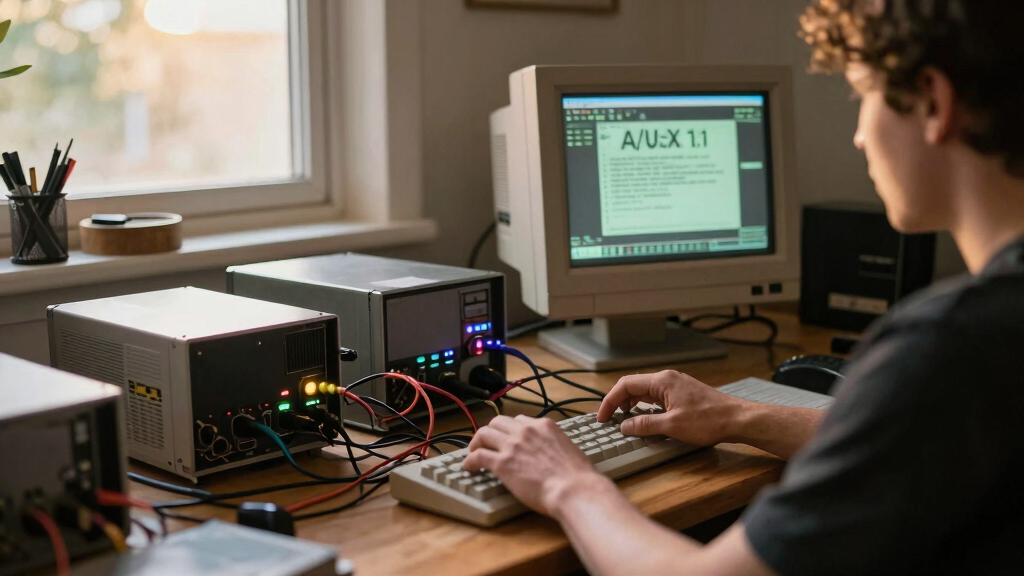
A user has managed to install Apple’s A/UX 1.1 operating system on contemporary hardware, emulating the 90s computing environment. This project underscores ongoing nostalgia and technical curiosity for vintage systems.
A hobbyist has successfully installed A/UX 1.1, Apple’s UNIX-based operating system from the early 1990s, on modern hardware, replicating the 90s computing environment. This achievement highlights renewed interest in vintage computing and challenges related to legacy OS installations on current systems.

Get backup power and energy gear delivered free with Prime
- Fast, free delivery on millions of items
- Prime Video, Amazon Music and more included
- Member-only deals all year
Why Retro Computing Enthusiasm Continues to Grow
This development demonstrates a persistent fascination with vintage operating systems like A/UX 1.1, reflecting broader interest in computing history and preservation. Successfully running such systems on current hardware shows the technical skills and resourcefulness of hobbyists, and it may inspire further exploration of legacy software. For the tech industry, it underscores the importance of backward compatibility and the enduring relevance of older systems for educational and archival purposes. Additionally, this project could influence future efforts to preserve and emulate vintage operating environments, fostering a deeper understanding of computing evolution.Products Worth Considering

eufy Security SoloCam E42 4-Camera Kit, 4K Solar Security Camera System

Roborock Qrevo S Pro Robot Vacuum and Mop with Multifunctional Dock

TCL 32-Inch R3D Series QLED Full HD Roku Smart TV (32R3D, 2026)
As an affiliate, we earn on qualifying purchases.
A/UX 1.1 and the 90s Apple UNIX Ecosystem
A/UX was Apple’s UNIX-based operating system introduced in the late 1980s and early 1990s, aimed at professional users and developers. Version 1.1, released around 1990, was notable for integrating UNIX System V Release 3 with Mac OS components. During the 90s, A/UX was used primarily on high-end Macintosh servers and workstations, but it was eventually discontinued as Apple shifted focus to Mac OS and later macOS. In recent years, vintage computing enthusiasts have sought to revive and run these legacy systems through emulation and hardware modifications. The recent successful installation of A/UX 1.1 reflects this ongoing interest and technical challenge.“Getting A/UX 1.1 to run on modern hardware was a complex puzzle, but it’s rewarding to see it boot up like it did in the early 90s.”
— RetroCoder
Technical Challenges and Limitations in Running A/UX Today
While the installation was successful, it remains unclear how stable or fully functional the system is on modern hardware. Compatibility issues with certain peripherals and hardware drivers have not been fully resolved, and performance metrics are not yet available. Additionally, the longevity of such setups and potential security vulnerabilities are still unknown, as the system has not been tested extensively beyond initial booting.Future Steps for Vintage OS Revival Projects
The creator plans to document the entire installation process in a detailed guide, aiming to assist others interested in vintage computing. There is also interest in exploring emulation options to run A/UX 1.1 more reliably across different hardware platforms. Community forums are likely to see increased activity as enthusiasts share their own attempts at reviving other legacy systems, potentially leading to collaborative projects and further preservation efforts.Key Questions
Why is installing A/UX 1.1 on modern hardware significant?
It demonstrates the technical feasibility of running vintage Apple UNIX systems on current machines, preserving computing history and inspiring hobbyists.
What hardware was used for the installation?
The user employed a high-end modern PC combined with emulation software and hardware modifications to emulate the original environment required by A/UX 1.1.
Are there practical uses for A/UX today?
Primarily, it serves educational, archival, and hobbyist interests, as vintage systems offer insights into early UNIX development and Apple’s legacy.
Will this project lead to wider adoption of vintage OS installations?
It could encourage more enthusiasts to attempt similar projects, though widespread practical adoption remains limited due to hardware and software constraints.
What are the main technical hurdles in such projects?
Key challenges include hardware compatibility, driver availability, and system stability, especially on modern hardware not originally designed for such legacy operating systems.
Source: hn