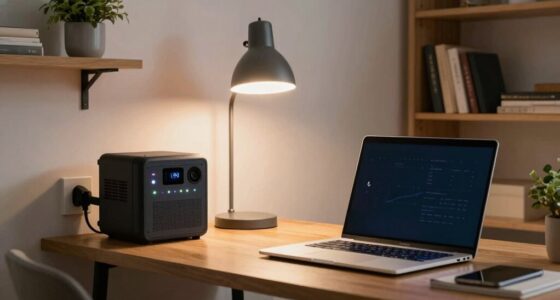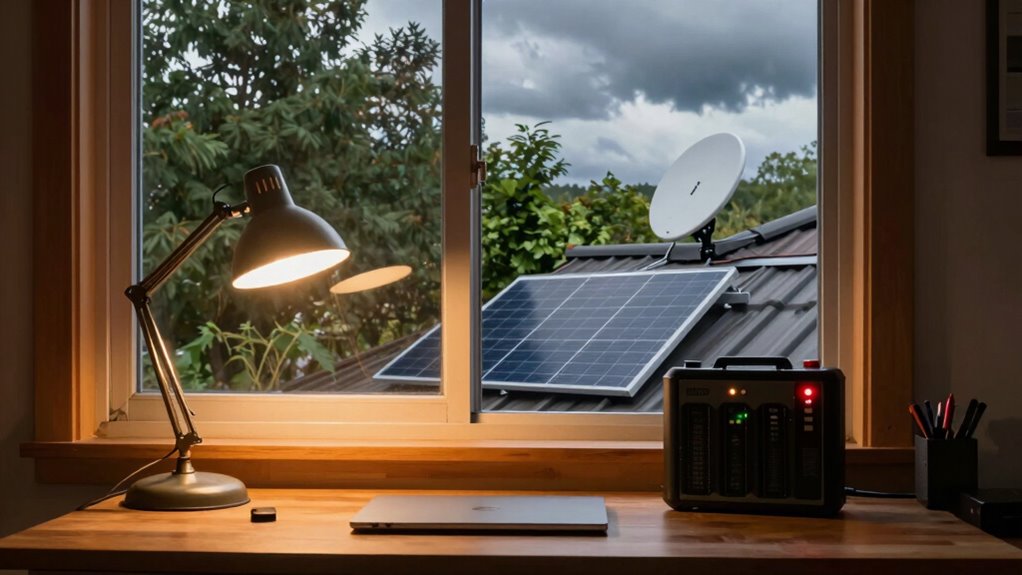
For a generator for Starlink and Wi-Fi backup, my best overall pick is the Anker SOLIX C1000 Gen 2, which balances useful battery capacity and output in a portable power station. The Jackery Explorer 1000 v2 is a strong alternative for buyers who want a self-contained battery option, while the CyberPower ST425 fits short outages when automatic, brief backup matters more than hours of runtime. The main tradeoff is between quiet, simple battery power and longer operation from a fuel generator, which brings noise, exhaust, and outdoor-use requirements. Capacity, actual device draw, and whether your Starlink setup can use a compatible DC connection all affect runtime. Read on for the full breakdown of these 10 options and how to match one to your outage plan.
Complete the kit


Key Takeaways
- The Anker SOLIX C1000 Gen 2 leads the roundup as a balanced battery option; buyers needing more stored energy should compare it with the 2,010Wh Anker SOLIX S2000.
- The CyberPower ST425 serves a different purpose from the power stations: it can bridge brief interruptions, but its small UPS format is not a long-duration outage solution.
- The two Oxseryn 4400-watt models trade quiet battery convenience for fuel-powered operation; their output is far beyond what a router and Starlink dish alone need, so they make more sense when other loads matter too.
- Battery capacity separates the compact picks from outage-ready choices: the Anker SOLIX C300’s 288Wh is easier to carry, while the 1,000Wh-class models provide more reserve for extended connectivity.
- LiFePO4 models such as the BLUETTI AC180 and STARYLINE 1000W prioritize substantial battery storage, while the LIBRIDS 640Wh option is a smaller-capacity choice for lighter or shorter backup plans.
| CyberPower ST425 Standby UPS Battery Backup and Surge Protector |  | Best for Short Outages and Safe Shutdowns | Capacity: 425VA / 260W | Outlets: 8 total: 4 battery backup and surge, 4 surge-only | Input voltage: 120V AC | VIEW ON AMAZON | See Our Full Breakdown |
| Oxseryn 4400-Watt Gas Inverter Generator |  | Best for High-Power, Multi-Device Backup | Starting wattage: 4,400W | Running wattage: 3,400W | Fuel: Gasoline | VIEW ON AMAZON | See Our Full Breakdown |
| Anker SOLIX S2000 Portable Power Station, 2,010Wh, 1,500W |  | Best for Extended Quiet Backup | Battery capacity: 2,010Wh | Battery chemistry: LiFePO4 | Continuous output: 1,500W | VIEW ON AMAZON | See Our Full Breakdown |
| LIBRIDS Portable Power Station, 640Wh, 600W Output |  | Best Compact Indoor UPS-Style Backup | Battery capacity: 640Wh | Battery type: LiFePO4 | Running output: 600W | VIEW ON AMAZON | See Our Full Breakdown |
| Oxseryn 4400-Watt Inverter Generator, Gas Powered Open Frame with 30A RV Outlet |  | Best for RV and Campsite Starlink Backup | Peak wattage: 4,400W | Running wattage: 3,400W | Fuel type: Gasoline | VIEW ON AMAZON | See Our Full Breakdown |
| STARYLINE 1000W Portable Power Station, 1024Wh LiFePO4 Battery |  | Best for Basic Starlink and Wi-Fi Backup | Battery capacity: 1,024Wh | Battery chemistry: LiFePO4 | Continuous / peak output: 1,000W / 2,000W | VIEW ON AMAZON | See Our Full Breakdown |
| Jackery Explorer 1000 v2 Portable Power Station |  | Best for Fast Recharge Between Outages | Battery capacity: 1,070Wh | Battery type: LiFePO4 | AC output / surge: 1,500W / 3,000W | VIEW ON AMAZON | See Our Full Breakdown |
| Anker SOLIX C1000 Gen 2 Portable Power Station |  | Best for High-Draw Backup Loads | Battery capacity: 1,024Wh | Battery type: LiFePO4 | Continuous / peak output: 2,000W / 3,000W | VIEW ON AMAZON | See Our Full Breakdown |
| BLUETTI AC180 Portable Power Station, 1152Wh LiFePO4 Battery |  | Best for Longer Battery Reserve | Battery capacity: 1,152Wh | Battery type: LiFePO4 | Running / peak output: 1,800W / 2,700W | VIEW ON AMAZON | See Our Full Breakdown |
| Anker SOLIX C300 Portable Power Station, 288Wh |  | Best Compact Pick for Short Outages | Battery capacity: 288Wh | Running / surge power: 300W / 600W | Battery type: LiFePO4 | VIEW ON AMAZON | See Our Full Breakdown |
| generator for starlink and wifi backup | Weight | Battery capacity | Battery type |
|---|---|---|---|
| CyberPower ST425 Standby UPS B | — | — | Lead acid |
| Oxseryn 4400-Watt Gas Inverter | 56 pounds | — | — |
| Anker SOLIX S2000 Portable Pow | 35.7 pounds | 2,010Wh | — |
| LIBRIDS Portable Power Station | — | 640Wh | LiFePO4 |
| Oxseryn 4400-Watt Inverter Gen | 57 pounds | — | — |
| STARYLINE 1000W Portable Power | 27.7 lbs | 1,024Wh | — |
| Jackery Explorer 1000 v2 Porta | 23.8 lbs | 1,070Wh | LiFePO4 |
| Anker SOLIX C1000 Gen 2 Portab | 24.9 lbs | 1,024Wh | LiFePO4 |
| BLUETTI AC180 Portable Power S | 37.4 lbs | 1,152Wh | LiFePO4 |
| Anker SOLIX C300 Portable Powe | 4.13 kg | 288Wh | LiFePO4 |
More Details on Our Top Picks
CyberPower ST425 Standby UPS Battery Backup and Surge Protector
For a Starlink-and-Wi-Fi setup that needs a brief bridge through flickers or enough time for a safe shutdown, the CyberPower ST425 is the simplest fit here. Its 425VA/260W capacity is far below the Anker SOLIX S2000’s, so I would not choose it for extended connectivity during a prolonged outage. Instead, the ST425 focuses on four battery-backed outlets and four surge-only outlets, giving a router, modem, or Starlink power supply priority while protecting other gear from surges. The compact design and three-year warranty, including the battery, suit a home-office desk better than a fuel generator. Its main limitation is runtime: the supplied data indicates about one minute at full load, and its simulated sine wave output may not suit sensitive audio equipment. Think of it as a shutdown buffer, not a long-duration backup.
Pros:- Four battery-backed outlets for prioritizing a router, modem, or Starlink power supply
- Compact form factor fits easily in a home office
- Three-year warranty includes the battery
- 890-joule surge protection and UL listing
Cons:- Very short stated runtime at full load makes it unsuitable for extended outages
- 260W capacity leaves limited room for additional equipment
- Simulated sine wave output may not suit sensitive audio gear
Best for: Home-office users who want a compact UPS to ride through brief power interruptions or shut down Starlink and Wi-Fi equipment safely.
Not ideal for: People who need internet to stay online for hours during an outage, or whose connected equipment requires pure sine wave output.
- Capacity:425VA / 260W
- Outlets:8 total: 4 battery backup and surge, 4 surge-only
- Input voltage:120V AC
- Output voltage:120V AC
- Battery type:Lead acid
- Surge protection:890 joules
- Warranty:3 years, including battery
- Certification:UL listed
Our verdict“Choose the ST425 for brief interruptions and orderly shutdowns, not for keeping Starlink online through a long outage.”
Oxseryn 4400-Watt Gas Inverter Generator
When Starlink and Wi-Fi are only part of a larger outage plan, the Oxseryn EDOG10 offers far more power than any battery unit in this group. Its 3,400 running watts can support network equipment alongside other household or camping loads, while the Anker SOLIX S2000 is quieter to deploy indoors but limited to stored battery energy. The generator’s inverter design and ECO mode make it a more fitting choice for varied loads than a basic open-frame generator, and the listed runtime reaches 14 hours at 25% load. That figure depends on load and conditions, and the two-gallon tank still means refueling is part of extended use. At 56 pounds it is portable for a gasoline model, but under-72 dBA at 23 feet is not silent; it also must be operated outdoors, away from living spaces.
Pros:- 3,400 running watts can handle network gear alongside other substantial loads
- ECO mode is rated for up to 14 hours at 25% load
- Includes AC, 12V DC, and RV outlets
- 56-pound weight is manageable for a portable gas generator
Cons:- Two-gallon fuel tank requires refueling during longer, heavier-load outages
- Under-72 dBA noise rating is still unsuitable for quiet indoor environments
- One-year warranty is shorter than the listed warranties on the Anker and LIBRIDS battery stations
Best for: Campers or homeowners who need to power Starlink, Wi-Fi, and several higher-wattage devices from a portable gasoline source.
Not ideal for: Apartment dwellers, noise-sensitive households, and buyers who need an indoor-ready backup with no fuel storage or refueling.
- Starting wattage:4,400W
- Running wattage:3,400W
- Fuel:Gasoline
- Fuel tank:2 gallons
- Outlets:2 × 120V AC, 1 × 12V DC, 1 × RV
- Weight:56 pounds
- Noise level:Under 72 dBA at 23 feet
- Warranty:1 year
Our verdict“Pick the EDOG10 when Starlink backup is part of a broader outdoor-powered setup and you can safely manage gasoline and generator noise.”
Anker SOLIX S2000 Portable Power Station, 2,010Wh, 1,500W
The Anker SOLIX S2000 is the strongest battery-first choice in this batch for keeping Starlink and Wi-Fi available without running a gas generator. Its 2,010Wh capacity and 1,500W continuous output give it much more headroom than the LIBRIDS H1008, which has 640Wh and 600W output. That extra stored energy can support longer or more demanding setups, while the under-10ms UPS switchover is designed to keep connected equipment from dropping out during a power interruption. Solar input up to 400W and six recharge methods add flexibility when grid power is unavailable. The tradeoff is weight: at 35.7 pounds, it is less convenient to move than the smaller LIBRIDS, and it lacks a 12V DC port. Its claimed runtime also varies with the connected load, so I would size expectations around actual equipment draw.
Pros:- 2,010Wh battery capacity offers more stored energy than the LIBRIDS H1008
- 1,500W continuous and 3,000W peak output support a wider range of connected equipment
- Under-10ms UPS switchover helps protect connected network gear from brief power loss
- LiFePO4 battery, six recharge methods, and up to 400W solar input
Cons:- 35.7-pound weight is less convenient to carry than the smaller LIBRIDS station
- No 12V DC port for equipment that needs a direct DC connection
- Actual runtime depends on the connected load and usage conditions
Best for: Households or remote workers who want substantial, quiet battery backup for Starlink and Wi-Fi, with the option to recharge by solar.
Not ideal for: Buyers who need a light grab-and-go unit, a dedicated 12V DC connection, or generator-level sustained power for large appliances.
- Battery capacity:2,010Wh
- Battery chemistry:LiFePO4
- Continuous output:1,500W
- Peak output:3,000W
- Solar input:Up to 400W
- Total outlets:8
- UPS switchover:Under 10ms
- Weight:35.7 pounds
- Warranty:5 years
Our verdict“Choose the SOLIX S2000 for quiet, higher-capacity Starlink backup when battery runtime and recharge flexibility matter more than low weight.”
LIBRIDS Portable Power Station, 640Wh, 600W Output
For a desk-side backup dedicated to Starlink and Wi-Fi, the LIBRIDS H1008 strikes a more compact balance than the Anker SOLIX S2000. Its 640Wh battery and 600W running output are a better match for networking equipment and a few small electronics than for large appliances; the Anker provides over three times the stored energy and substantially more output for buyers who need broader coverage. LIBRIDS counters with pure sine wave output, four AC outlets, and a 10ms UPS switchover, all useful when the goal is keeping sensitive network gear connected through a brief outage. The stated 1.5-hour AC charge time helps restore the unit between interruptions. Its metal enclosure and five-year warranty are appealing, but the unit is indoor use only and must stay dry. The 600W ceiling also limits what else can run alongside a router setup.
Pros:- Pure sine wave output suits sensitive network and electronic equipment
- 10ms UPS switchover supports short interruptions without a manual restart
- Four AC outlets among eight total ports allow several devices to connect
- 640Wh LiFePO4 battery and stated 1.5-hour AC charging
Cons:- 600W running output limits use with higher-power appliances
- Indoor use only; the unit must be kept dry
- 640Wh capacity is substantially below the Anker SOLIX S2000’s 2,010Wh
Best for: Remote workers or home-office users who want a compact, indoor power station for Starlink, Wi-Fi, and a few modest electronics.
Not ideal for: Households seeking long-duration backup for many devices, outdoor use, or power for high-wattage appliances.
- Battery capacity:640Wh
- Battery type:LiFePO4
- Running output:600W
- Surge output:1,200W
- AC outlets:4
- Total output ports:8
- UPS switchover:10ms
- AC charging time:About 1.5 hours
- Use restriction:Indoor use only; keep dry
Our verdict“Choose the H1008 for a compact indoor Starlink-and-router backup, but step up to the Anker SOLIX S2000 for longer runtime or broader loads.”
Oxseryn 4400-Watt Inverter Generator, Gas Powered Open Frame with 30A RV Outlet
This Oxseryn is the more RV-focused of the two gas generators here: its 30A RV outlet gives it a clear role for campsite setups, while the EDOG10 lists a standard RV outlet without specifying that 30A connection. Both offer 4,400 peak watts, 3,400 running watts, and a two-gallon tank rated for up to 14 hours at 25% load, so the choice is less about raw output than outlet fit and setup. The 57-pound open-frame design remains portable, and the 12V DC port adds another way to power compatible gear. Compared with the battery-based LIBRIDS H1008, this generator can supply much greater sustained output, but it brings fuel handling, exhaust, and more noise. Open-frame construction is a poor match for quiet or indoor use, and the one-year manufacturer warranty is limited.
Pros:- 30A RV-ready outlet suits compatible RV and campsite connections
- 3,400 running watts provide more sustained output than the LIBRIDS H1008
- Up to 14 hours of stated runtime at 25% load
- Includes two 120V AC outlets and a 12V DC outlet
Cons:- Open-frame design may be louder than enclosed inverter generators and battery stations
- Gasoline operation requires outdoor placement, fuel storage, and refueling
- One-year manufacturer warranty
Best for: RV owners and campers who need a gasoline-powered source for Starlink, Wi-Fi, and other campsite loads, especially when a 30A RV connection is useful.
Not ideal for: Indoor users, quiet-neighborhood backup plans, and buyers who prefer fuel-free operation or a compact battery UPS.
- Peak wattage:4,400W
- Running wattage:3,400W
- Fuel type:Gasoline
- Fuel tank:2 gallons
- Outlets:2 × 120V AC, 1 × 30A RV, 1 × 12V DC
- Weight:57 pounds
- Engine:4-stroke
- Warranty:1 year
Our verdict“Pick this Oxseryn over the EDOG10 when the 30A RV outlet matters; choose a battery station instead for quiet indoor Starlink backup.”
STARYLINE 1000W Portable Power Station, 1024Wh LiFePO4 Battery
The STARYLINE PYS-PEI-U01000 pairs a 1,024Wh LiFePO4 battery with 1,000W of continuous output, a sensible fit for keeping a Starlink setup and Wi-Fi router running through shorter outages, provided their combined draw stays within its limits. Its 300W solar input offers a way to replenish power away from an outlet, though the panel is not included. Compared with the Jackery Explorer 1000 v2, it supplies less AC power and lacks the listed rapid-recharge feature, but it has a similar battery capacity and a stated cycle life of 3,000+ cycles to 80% capacity. The main uncertainty is practical runtime: the supplied listing says only “2 minutes,” which does not help estimate outage coverage. I’d choose it for straightforward backup needs, not where a dependable runtime estimate is a deciding factor.
Pros:- 1,024Wh LiFePO4 battery with a stated 3,000+ cycles to 80% capacity
- Two 110V AC outlets plus USB-C and USB-A ports for network gear and personal devices
- Supports up to 300W solar input
- 27.7 lb weight and integrated handle make it movable between home and campsite
Cons:- Listed runtime of 2 minutes leaves actual Starlink backup duration unclear
- Solar panel is not included
- 1,000W continuous output is lower than the Jackery Explorer 1000 v2 and Anker SOLIX C1000 Gen 2
Best for: Buyers who want a roughly 1kWh battery for a Starlink dish and router during short outages and may recharge from a separately purchased solar panel.
Not ideal for: People who need verified runtime estimates, higher output for multiple appliances, or a solar panel included in the package.
- Battery capacity:1,024Wh
- Battery chemistry:LiFePO4
- Continuous / peak output:1,000W / 2,000W
- AC outlets:2 × 110V
- USB-C output:60W PD
- Maximum solar input:300W
- Cycle life:3,000+ cycles to 80% capacity
- Weight:27.7 lbs
Our verdict“Choose the STARYLINE for basic Starlink and router backup with solar compatibility, but skip it if unclear runtime figures make planning difficult.”
Jackery Explorer 1000 v2 Portable Power Station
For buyers who may need to refill a battery quickly before another outage, the Jackery Explorer 1000 v2 is the standout here: its stated emergency charging mode reaches full capacity in one hour, and standard charging takes 1.7 hours. Its 1,070Wh battery gives Starlink and Wi-Fi equipment a substantial reserve, while 1,500W AC output leaves more room for additional devices than the STARYLINE 1000W model. At 23.8 lbs, it is also lighter than the BLUETTI AC180, though the BLUETTI provides a larger 1,152Wh battery. App controls and 100W USB-C add flexibility, but the solar panel is sold separately and solar charging requires specific Jackery panels. I’d put this ahead of the STARYLINE for quick grid recharging, but not for buyers seeking flexible third-party solar compatibility.
Pros:- Emergency mode is listed to recharge to full in 1 hour
- 1,070Wh LiFePO4 battery with a stated 4,000+ charge cycles
- 1,500W AC output and three AC outlets provide more headroom than the STARYLINE 1000W
- 23.8 lb weight is lighter than the BLUETTI AC180
Cons:- Solar panel is not included
- Solar charging requires specific Jackery solar panels
- Its 1,070Wh capacity is below the BLUETTI AC180’s 1,152Wh
Best for: Households with frequent, short power interruptions that can recharge from an outlet between outages and want to run Starlink, Wi-Fi, and a few extra devices.
Not ideal for: Buyers whose main recharge plan uses solar panels from another brand, or those who need more than 1,070Wh of stored energy.
- Battery capacity:1,070Wh
- Battery type:LiFePO4
- AC output / surge:1,500W / 3,000W
- AC outlets:3
- USB-C output:100W PD
- Charging time:1 hour in Emergency Mode; 1.7 hours in Standard Mode
- Charge cycles:4,000+
- Weight:23.8 lbs
Our verdict“Pick the Jackery Explorer 1000 v2 if rapid wall recharging matters more than broad solar-panel compatibility or maximum battery capacity.”
Anker SOLIX C1000 Gen 2 Portable Power Station
The Anker SOLIX C1000 Gen 2 stands apart from the other roughly 1kWh choices by pairing 1,024Wh of storage with 2,000W continuous output. That extra output is useful if Starlink and Wi-Fi are only part of the outage plan and you also want to run higher-draw equipment; it does not, by itself, make the battery last longer. For network gear, the listed 10ms UPS switchover may help maintain power during an interruption, while a 49-minute AC recharge makes it quick to prepare again. The Jackery Explorer 1000 v2 has slightly more capacity and is lighter at 23.8 lbs, but its AC output is lower at 1,500W. The Anker weighs 24.9 lbs and advanced features such as TOU mode require app integration, so this is a power-and-recharge pick rather than the simplest setup.
Pros:- 2,000W continuous output is higher than the Jackery Explorer 1000 v2’s 1,500W
- AC recharge is listed at 49 minutes
- 10ms UPS switchover is useful for connected electronics
- 1,024Wh LiFePO4 battery and 10 ports support a range of backup loads
Cons:- At 24.9 lbs, it is heavier than the Jackery Explorer 1000 v2
- Advanced features such as TOU mode require app integration
- Its 1,024Wh capacity is similar to other picks, so higher output does not mean longer runtime
Best for: People who want to back up Starlink and Wi-Fi alongside higher-draw home devices and value fast recharging and a listed UPS switchover.
Not ideal for: Buyers focused only on a modem and router who would rather choose a simpler or lighter power station than pay attention to app-based features.
- Battery capacity:1,024Wh
- Battery type:LiFePO4
- Continuous / peak output:2,000W / 3,000W
- Port count:10
- AC recharge time:49 minutes
- Solar recharge time:1.8 hours
- UPS switchover:10 ms
- Weight:24.9 lbs
Our verdict“Choose the C1000 Gen 2 when high output, quick recharging, and UPS switching matter more than a lighter carry or extra battery capacity.”
BLUETTI AC180 Portable Power Station, 1152Wh LiFePO4 Battery
Among these mid-size stations, the BLUETTI AC180 has the largest stated battery: 1,152Wh, giving Starlink and Wi-Fi a little more stored energy than the Jackery Explorer 1000 v2 or Anker SOLIX C1000 Gen 2. That added capacity can help stretch a backup session, although actual runtime depends on the equipment’s draw and conversion losses. Its 1,800W running output also offers more room for extra devices than the STARYLINE 1000W. The tradeoff is portability: at 37.4 lbs, it is much heavier than the Jackery’s 23.8 lbs, and the listed solar recharge time is 2.8–3.3 hours, slower than the C1000 Gen 2’s stated 1.8 hours. With 500W solar input and about one-hour AC charging, this suits a home backup spot better than frequent carrying.
Pros:- 1,152Wh capacity is higher than the Jackery Explorer 1000 v2 and Anker SOLIX C1000 Gen 2
- 1,800W running output and 2,700W peak output support additional loads
- Supports up to 500W solar input and about one-hour AC charging
- 20ms UPS response and 11 listed outlets suit a home backup setup
Cons:- 37.4 lb weight makes it substantially less convenient to carry than the Jackery Explorer 1000 v2
- Listed solar charging time of 2.8–3.3 hours is longer than the Anker SOLIX C1000 Gen 2’s 1.8 hours
- A 20ms UPS response is slower than the Anker SOLIX C1000 Gen 2’s listed 10ms switchover
Best for: Homeowners who want a larger battery reserve for Starlink and Wi-Fi, plus the option to recharge from AC or a substantial solar setup.
Not ideal for: Campers or anyone who needs to carry a power station often, since it weighs 37.4 lbs, or buyers prioritizing the shortest listed solar recharge time.
- Battery capacity:1,152Wh
- Battery type:LiFePO4
- Running / peak output:1,800W / 2,700W
- Maximum solar input:500W
- AC charging time:About 1 hour
- Solar charging time:2.8–3.3 hours
- UPS response time:20 ms
- Weight:37.4 lbs
Our verdict“Choose the AC180 for its larger battery reserve and home-focused output if you can accept the heavier body and slower listed solar recharge.”
Anker SOLIX C300 Portable Power Station, 288Wh
The Anker SOLIX C300 is the compact option for buyers who want a portable reserve for network gear rather than an all-day household backup supply. Its 288Wh capacity and 300W running output can serve a Starlink and Wi-Fi setup if their combined load fits the limit, but the much smaller battery means shorter coverage than the 1,024Wh STARYLINE or the 1,152Wh BLUETTI AC180. Eight ports, including three AC outlets and three USB-C ports, make it handy for keeping phones and other small electronics powered at the same time. Recharging options include wall, solar, car, and USB-C, and its listed 25dB operating noise is suited to quiet spaces. The compromise is limited stored energy and output; buyers planning longer outages should step up to one of the larger stations.
Pros:- Compact 288Wh design is easier to carry than the 1,024Wh STARYLINE or 1,152Wh BLUETTI AC180
- Eight ports include three AC outlets and three USB-C ports
- Can recharge from a wall outlet, solar panel, car, or USB-C
- Listed 25dB operating noise suits quiet indoor settings
Cons:- 288Wh capacity offers much less backup reserve than the larger stations in this roundup
- 300W running output limits use to lower-draw equipment
- Shoulder strap is sold separately, and compatibility excludes several Anker solar panel models
Best for: Travelers and apartment dwellers who need a small, quiet backup for a Starlink or Wi-Fi setup and personal devices during brief interruptions.
Not ideal for: Households expecting extended outages or planning to run appliances alongside network equipment, since capacity is 288Wh and running output is 300W.
- Battery capacity:288Wh
- Running / surge power:300W / 600W
- Battery type:LiFePO4
- Charging ports:8
- AC outlets:3
- Recharge options:Wall outlet, solar panel, car, or USB-C
- Noise level:25dB at 3.3 ft
- Weight:4.13 kg
Our verdict“Pick the C300 for compact, quiet backup during short outages, but choose a larger station for longer Starlink and Wi-Fi coverage.”

How We Picked
I ranked these products for the specific job of keeping a Starlink setup and Wi-Fi equipment powered during an outage, not for general home backup. The main criteria were usable battery capacity, AC output, portability, power-source type, and how well the form factor fits short interruptions versus longer outages. I also considered setup complexity and practical limits: a fuel generator must operate outdoors, while a battery station needs recharging and may have less runtime than its capacity figure suggests once conversion losses and connected loads are included.
The ranking favors options that can serve as practical, quiet backup for networking gear without requiring fuel handling. The Anker SOLIX C1000 Gen 2 ranks first for its balance of capacity and usability; larger battery models suit buyers who value runtime reserve, and smaller units rank lower for extended outages but remain useful for compact setups. The CyberPower UPS is placed for brief power interruptions rather than long backup, while the Oxseryn generators rank as specialized choices for buyers who need fuel-powered runtime or plan to run additional equipment. These are different tools, so the right choice depends on outage length and what else must stay on.
| generator for starlink and wifi backup | Battery type |
|---|---|
| CyberPower ST425 Standby UPS B | Lead acid |
| Oxseryn 4400-Watt Gas Inverter | — |
| Anker SOLIX S2000 Portable Pow | — |
| LIBRIDS Portable Power Station | LiFePO4 |
| Oxseryn 4400-Watt Inverter Gen | — |
| STARYLINE 1000W Portable Power | — |
| Jackery Explorer 1000 v2 Porta | LiFePO4 |
| Anker SOLIX C1000 Gen 2 Portab | LiFePO4 |
| BLUETTI AC180 Portable Power S | LiFePO4 |
| Anker SOLIX C300 Portable Powe | LiFePO4 |
Factors to Consider When Choosing Generator For Starlink And Wifi Backup
Choosing backup power starts with your actual outage plan, not the largest wattage printed on a product. I would work out which networking devices must stay online, how long they need power, and whether you can recharge or refuel before choosing a format.
Estimate Runtime From Your Whole Setup
List every device you want to keep running: the Starlink hardware, router, and any switch or access point. Check their power ratings or measure their real draw, since the dish and router may consume more than a basic Wi-Fi router alone. A battery’s stated watt-hours are not all delivered to AC devices because conversion losses reduce usable energy. As a rough planning method, divide usable watt-hours by the combined device draw, then leave a reserve for variation and battery aging. A generator’s rated output describes power delivery, not how long it runs on a tank. Avoid buying based only on a headline capacity or wattage number; runtime and output answer different questions.
Choose Between a UPS, Battery Station, and Fuel Generator
A UPS is designed to carry equipment through a brief power interruption and may switch over automatically, which helps avoid a reboot. A portable power station offers quieter, fuel-free backup, but you need to check its transfer behavior if uninterrupted service matters. A fuel generator can support longer use when fuel is available, yet it must run outdoors and brings noise, fumes, and maintenance. These products are not interchangeable: the CyberPower ST425 is aimed at short interruptions, while the Oxseryn models suit buyers with broader or longer-duration power needs. For connectivity alone, a large engine generator may be more machine than the load requires. Pick the format around outage duration and whether you need to power other household equipment.
Check Output, Outlets, and Startup Behavior
Compare the combined running draw of your equipment with the unit’s continuous output, then check its surge rating for devices with brief startup demands. Do not assume that a high peak-watt figure can be sustained indefinitely. Confirm that the unit has the outlet type your setup needs and that the power station supports the charging and pass-through behavior you expect. Some Starlink configurations may support compatible DC power arrangements, but connectors, voltage, and cabling must match the specific hardware; an improvised adapter can damage equipment. AC power is often the simpler route, though it incurs conversion losses. If your priority is avoiding a network restart during an outage, verify switching behavior rather than relying on a general claim of backup capability.
Match Capacity to the Outage You Actually Face
For short, occasional interruptions, a compact UPS or smaller battery station may be easier to keep ready than a large power system. Multi-hour outages call for more battery reserve, especially if you cannot recharge while the grid is down. Repeated or prolonged outages can favor a fuel generator, but only if you have safe outdoor placement and a realistic fuel plan. A common mistake is to size for the average outage while ignoring the longest one you need to cover. Another is buying far more capacity than necessary when the unit will mostly sit unused and be harder to move. Think through both ordinary outages and the one longer event your backup plan is meant to handle.
Account for Recharging, Fuel, and Upkeep
A battery station is convenient only when it is charged before an outage and maintained according to its instructions. Check how you can recharge it—wall power, vehicle charging, or compatible solar input—and how long that process takes. Solar charging can extend a plan, but panel compatibility, sunlight, and charging conditions affect how much energy you recover. Fuel generators need suitable fuel storage, outdoor operation, and routine maintenance; they are not a safe indoor substitute for a battery. Consider whether you can replenish power during a long outage, not just how much is stored at the start. The simplest backup is often the one you will keep charged, maintained, and ready to use.
Plan for Safe Placement and Network Resilience
Battery stations can operate indoors when used as directed, while a fuel generator must remain outside and away from doors, windows, and vents because of exhaust hazards. Cable length and placement matter: the power source may need to sit somewhere different from the router and Starlink equipment. Keep required cables accessible and label the connections so setup is manageable under pressure. Backup power cannot solve every connectivity outage; service interruptions or damaged network equipment may still take the connection offline. If internet access is important for work or safety, consider a separate mobile-data fallback as well. A tested, labeled setup is more dependable than a larger unit with unclear connections.
Frequently Asked Questions
Can a small UPS keep both Starlink and my Wi-Fi router online?
It can, if the combined load stays within the UPS output and the battery has enough capacity for the interruption you expect. A compact UPS such as the CyberPower ST425 is better suited to bridging a short outage than supporting hours of service. Check the power draw of the specific Starlink hardware and router rather than assuming all setups use the same amount. A higher load shortens runtime, and a UPS battery may not be replaceable or sized for extended use. If you need prolonged backup, compare a larger battery station or a fuel generator instead.
How many watt-hours do I need for an overnight Starlink outage?
There is no single capacity that covers every Starlink setup, because power draw varies by hardware, operating conditions, and what other networking gear is connected. Add the draw of the Starlink equipment, router, and any accessories, then multiply by the hours you want to cover. Account for conversion losses if the equipment will run from AC outlets, and leave extra capacity rather than planning to drain the battery completely. A 1,000Wh-class station offers more reserve than a 288Wh compact unit, but actual runtime still depends on load. For a dependable estimate, measure your setup or use manufacturer power figures and plan for the higher end.
Is a fuel generator better than a power station for keeping internet online?
A fuel generator can run for longer when you have fuel and need to power more than networking equipment, but it is louder and must operate outdoors with safe exhaust clearance. A battery station is quieter, simpler to place, and convenient for a modest load, though its runtime is limited by stored energy and recharging access. For Starlink and Wi-Fi alone, a large generator may add noise and upkeep without a useful benefit if a battery can cover the outage. For long outages or several household loads, fuel power can make more sense. Choose based on duration, safety, and other equipment you expect to run.
Will a power station keep Starlink online without a reboot during an outage?
Not necessarily: that depends on the station’s transfer behavior, how it is connected, and how the Starlink equipment responds to the interruption. A unit that supports pass-through power may still have a switchover gap, so confirm its specifications rather than assuming it acts like a no-break UPS. A dedicated UPS is designed for short interruptions, while many power stations are intended primarily as portable sources. If avoiding a connection drop matters, test the complete setup before relying on it for work or emergency communication. Also confirm that the station can safely support the equipment’s load while charging.
Should I choose DC output instead of plugging Starlink into an AC outlet?
DC operation can reduce conversion losses, but it only makes sense when the voltage, connector, polarity, and power requirements match the exact Starlink hardware. A cable that physically fits is not proof that it is electrically compatible. AC is often the easier connection because the supplied power equipment is designed for it, though the inverter uses some stored energy. Compare the likely efficiency gain with the cost and complexity of a suitable DC setup. If you are unsure about compatibility, use the manufacturer-approved power arrangement and avoid improvised adapters.
Conclusion
For most buyers who want quiet, practical backup for Starlink and Wi-Fi, I would start with the Anker SOLIX C1000 Gen 2 as the best overall balance in this lineup. The LIBRIDS 640Wh is my best value-style pick for a smaller, lighter backup plan, while the Anker SOLIX S2000 is the best premium choice for buyers who want substantially more stored energy. Beginners who need a simple answer for brief interruptions can start with the CyberPower ST425, as long as they do not expect long runtime. For compact portability, choose the Anker SOLIX C300; for fuel-powered operation and additional loads, compare the two Oxseryn 4400-watt models and plan for safe outdoor use. Match the final choice to measured load and desired runtime, since no single option fits every outage.