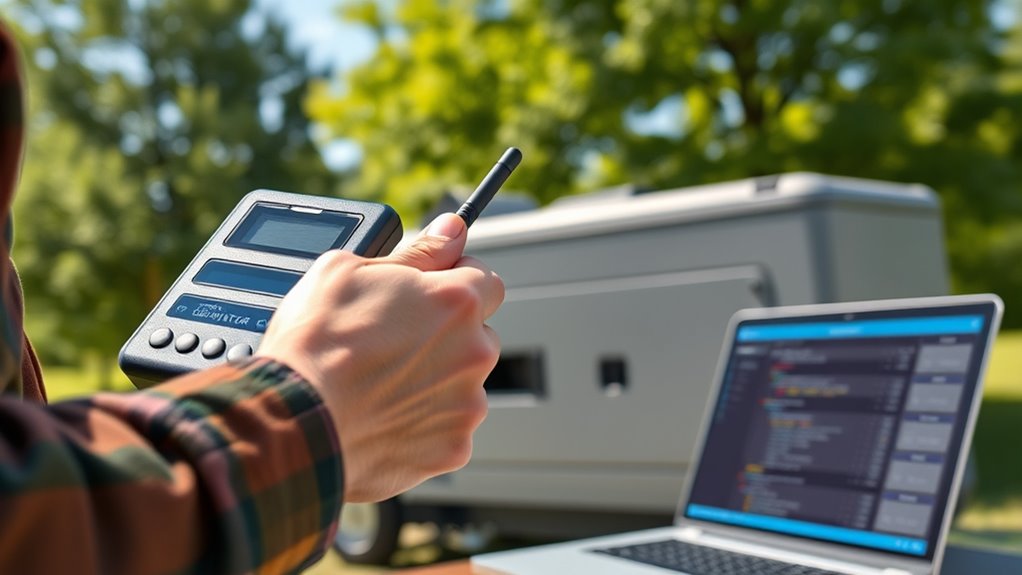
If your wireless generator won’t start remotely, first check that your remote control has fresh batteries and isn’t physically damaged or dirty. Make sure you’re within the proper range, and clear any interference from nearby electronic devices or obstacles. Reset the generator’s wireless system if needed, and verify safety settings aren’t blocking the signal. If issues persist, inspecting the receiver and firmware might help. More tips within this overview will guide you through resolving common remote start problems.

Get backup power and energy gear delivered free — and shop member deals
- Fast, free delivery on millions of items
- Access to Prime Big Deal Days deals on October 6–7
- Prime Video, Amazon Music and more included
Key Takeaways
- Check and replace remote control batteries, and ensure buttons are responsive and clean.
- Confirm the remote is within the recommended range and free from obstacles or interference sources.
- Reset the generator’s wireless connection following the manufacturer’s instructions to resolve connectivity issues.
- Inspect the generator’s receiver module for faults, corrosion, or damage, and update firmware if available.
- Verify safety and fault conditions are cleared, and consult support if remote start still does not function.
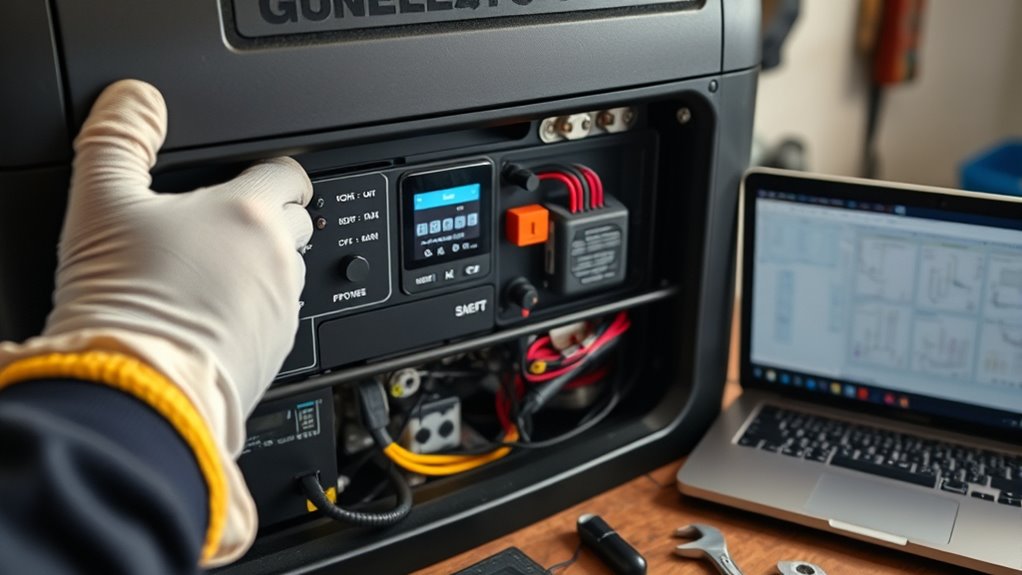
Wireless generators offer convenient remote start capabilities, but sometimes they don’t work as expected. When your remote start feature fails, it can be frustrating, especially during emergencies or when you want quick, hassle-free operation. Understanding common wireless generator issues can help you troubleshoot effectively and get your generator running smoothly again. The first step is to identify whether the problem lies with the remote control, the generator itself, or the connection between the two.
One of the most common remote start issues is a weak or dead remote control battery. If your remote isn’t sending signals properly, the generator won’t respond. Try replacing the batteries with fresh ones and see if that resolves the problem. If the remote still doesn’t work, check for physical damage or if the remote’s buttons are stuck or unresponsive. Sometimes, dirt or grime can interfere with the remote’s signal, so cleaning the remote’s contacts can help. Also, ensure that you’re within the recommended range; exceeding the distance can cause signal failure.
Check and replace remote batteries; clean contacts; ensure you’re within the proper range for reliable signals.
Another common wireless generator issue involves interference or obstacles blocking the signal. Metal objects, thick walls, or other electronic devices can disrupt the wireless communication between your remote and the generator. If you notice this problem, try moving closer to the generator or removing potential interference sources. It’s also worth resetting the generator’s wireless communication system, if your model allows it. Consult your user manual for specific reset procedures or troubleshooting steps related to the wireless connection.
If your remote start still isn’t working after replacing batteries and checking for interference, the issue might be with the generator’s receiver module. Sometimes, the receiver can become faulty due to age, corrosion, or electrical issues. Testing the receiver or having a professional inspect it can determine if it’s the root of the problem. Additionally, make sure your generator’s firmware or software is up to date. Manufacturers often release updates that fix bugs or improve wireless communication, so check for updates regularly. High-quality components are essential for reliable wireless operation, ensuring sustained performance over time.
Finally, ensure the generator’s security features aren’t preventing remote start. Some models have safety or override settings that need to be disabled or configured correctly. Confirm that the generator isn’t in a fault state or alert mode, as this can disable remote functions. If troubleshooting these aspects doesn’t fix your wireless generator issues, contacting the manufacturer’s customer support or a qualified technician might be necessary. Troubleshooting remote start problems requires patience, but with systematic checks, you can restore your wireless generator’s remote capabilities and enjoy the convenience it offers.
wireless generator remote control batteries
As an affiliate, we earn on qualifying purchases.
As an affiliate, we earn on qualifying purchases.
Frequently Asked Questions
Can Weather Conditions Affect Remote Start Functionality?
Weather conditions can definitely impact your remote start functionality. Heavy rain, snow, or fog can cause signal interference, weakening or blocking the wireless signal between your remote and generator. Additionally, lightning or electrical storms may damage the remote or the generator’s receiver. To guarantee reliable operation, keep your remote and generator protected from harsh weather, and consider installing a weather-resistant enclosure if needed.
Is There a Way to Reset the Wireless Generator’s Remote?
Did you know that over 60% of remote start issues are resolved with a simple remote reset? To do this, you usually need to turn off your generator, wait a few seconds, and then press the reset button on the remote or re-sync it with the generator. For remote troubleshooting, make certain the remote has fresh batteries and is within range. This quick reset often clears glitches and restores proper operation.
How Do I Update the Remote Start App?
To update the remote start app, you should first check your device’s app store for available remote app updates. Download and install any updates to guarantee you have the latest version. This helps with troubleshooting software issues and improves compatibility with your wireless generator. After updating, restart the app and test your remote start function. Regularly updating the app keeps your system running smoothly and minimizes remote start problems.
What Should I Do if the Remote Battery Dies?
When your remote battery dies, it’s like losing your connection to the universe—sudden and frustrating. To fix this, replace the remote battery promptly to restore your remote signal and guarantee your generator responds smoothly. Open the remote’s casing carefully, swap out the old battery for a fresh one, and test the remote. This quick remote battery replacement can solve remote signal issues and keep your generator ready when you need it most.
Are There Compatibility Issues With Different Remote Models?
You might encounter remote model compatibility issues or remote pairing problems if you try to use a remote that isn’t designed for your specific generator. Always check the remote model compatibility before purchasing or replacing a remote. If you experience remote pairing issues, verify the remote is correctly synced with your generator and consult the manufacturer’s instructions. Using the wrong remote model can prevent proper pairing and cause remote start problems.
generator remote start repair kit
As an affiliate, we earn on qualifying purchases.
As an affiliate, we earn on qualifying purchases.
Conclusion
If your wireless generator still refuses to start remotely, don’t give up just yet. Double-check your connections, make certain your device has a strong signal, and reset the system if needed. With a little patience, you’ll be up and running faster than you can say “power outage!” Remember, troubleshooting might seem like chasing a ghost, but persistence pays off. Keep trying, stay calm, and soon you’ll have your generator roaring to life, saving the day like a superhero!
wireless generator signal booster
As an affiliate, we earn on qualifying purchases.
As an affiliate, we earn on qualifying purchases.
generator receiver module replacement
As an affiliate, we earn on qualifying purchases.
As an affiliate, we earn on qualifying purchases.
Fall Picks
fall essentials
As an affiliate, we earn on qualifying purchases.