
If your device’s battery is completely drained after storage, start by fully charging it without interruption, then use it until it powers off. Perform a calibration by fully charging again to 100%, then drain the battery through normal use. If it still won’t hold a charge, check for software updates or reset the device. Persistent issues may mean the battery is damaged. Keep exploring to discover more tips for restoring your battery’s health.

Get backup power and energy gear delivered free with Prime
- Fast, free delivery on millions of items
- Prime Video, Amazon Music and more included
- Member-only deals all year
Key Takeaways
- Fully charge the device to 100% and then use it until it powers off to recalibrate the battery indicator.
- Store the device at around 50% charge and in moderate temperatures to prevent further battery degradation.
- Update the device’s firmware or software to fix potential bugs affecting battery performance.
- Perform a system reset or calibration to improve battery accuracy and diagnose issues.
- If problems persist, consider battery replacement after confirming damage or deterioration.
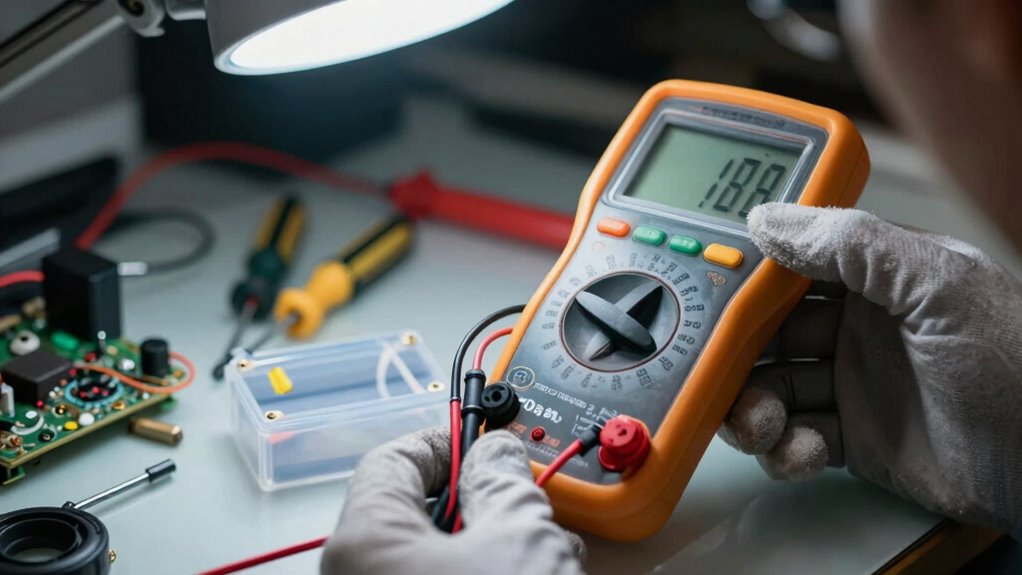
Ever wondered why your device suddenly died when it still seemed to have power? The most common reason is that the battery’s charge indicator isn’t accurately reflecting its true capacity, especially after long periods of storage. When devices sit unused for weeks or months, the battery can become uncalibrated, making it difficult for the device to correctly display remaining charge levels. This miscalibration can cause your device to shut down unexpectedly, even though it shows some battery life. To fix this, you need to perform a battery calibration. Fully charge your device to 100%, then use it normally until it completely powers off due to low battery. After that, recharge it uninterrupted to full capacity. This process helps the device’s software better understand the battery’s actual capacity, improving the accuracy of the charge indicator.
Your charging habits before storing the device also play a *vital* role. If you leave a device fully charged or completely drained for extended periods, it can accelerate battery degradation. Ideally, you should store devices with around 50% charge, which helps preserve battery health during inactivity. Also, avoid leaving devices plugged in at 100% for days on end. Overcharging can damage the battery’s chemistry, leading to reduced capacity and shorter lifespan once you start using it again. When you’re ready to use your device after storage, begin with a gentle, steady charging routine—avoid rapid charging or frequent disconnects. Consistent, moderate charging habits help maintain your battery’s longevity and performance.
If your device still shows strange behaviors after calibrating the battery and reviewing your charging habits, consider performing a reset or updating the software. Sometimes, outdated firmware or system glitches cause inaccurate battery readings or shutdowns. Keep your device’s software up to date, as manufacturers often release patches that improve power management. If problems persist, it might indicate the battery has suffered permanent damage due to age or improper storage conditions. In such cases, replacing the battery is often the best course of action. Remember, proper storage, avoiding extreme temperatures, and following good charging habits can *substantially* extend your battery’s health and prevent issues like unexpected shutdowns. Regularly calibrating your battery ensures your device’s power indicator remains reliable, giving you a more accurate picture of your remaining battery life. By understanding and applying these tips, you’ll minimize the chances of running into surprises after storage and keep your device running smoothly for longer.
Products Worth Considering

Bose SoundLink Flex Bluetooth Speaker (2nd Gen), Portable Waterproof Speaker, Black

Ring Alarm 14-Piece Wireless Security System Kit

Dyson V8 Cordless Vacuum
As an affiliate, we earn on qualifying purchases.
Frequently Asked Questions
Can Storing a Battery in a Cold Environment Cause It to Drain?
Yes, storing a battery in a cold environment can cause it to drain faster, especially depending on its chemistry. Cold temperatures affect the chemical reactions inside the battery, leading to increased self-discharge rates. For ideal storage, keep your batteries at a moderate temperature, as extreme cold can deplete their charge prematurely. Always check the manufacturer’s recommendations for storage temperature to prevent unnecessary drain and maintain battery health.
How Long Can a Battery Sit Unused Before Losing Its Charge?
Think of your battery as a delicate dance partner—you need to keep it moving. Generally, a battery can sit unused for several months before losing its charge, depending on its chemistry and storage duration. Lithium-ion batteries last longer in storage, but all types slowly drain over time due to internal chemical reactions. To prevent this, store batteries in a cool, dry place and check on them periodically to keep their charge alive.
Does Overcharging During Storage Affect Battery Longevity?
Overcharging during storage can harm your battery’s longevity, especially depending on its chemistry. Lithium-ion batteries are sensitive to overcharging, which can cause capacity loss or safety issues. To guarantee storage safety, avoid leaving your battery plugged in for extended periods or at high voltage levels. Proper storage—keeping the battery at a stable, partial charge and in a cool, dry place—helps preserve its lifespan and prevents potential damage caused by overcharging.
Are Certain Types of Batteries More Prone to Draining After Storage?
Imagine a sponge slowly releasing water—certain batteries, like lithium-ion, are more prone to draining after storage due to their chemistry. You notice that batteries with less effective storage insulation lose charge faster, especially if exposed to temperature swings. Nickel-based batteries tend to hold their charge longer, but poor insulation accelerates draining across all types. Proper storage, with stable temperature and insulation, helps preserve your batteries’ power over time.
Can a Damaged Storage Container Cause Battery Discharge?
Yes, a damaged storage container can cause battery discharge. If the container has damage or leaks, it may expose the batteries to moisture or corrosive substances, accelerating discharge. Storage leaks can also create electrical shorts, draining the battery faster than normal. Always inspect your storage containers for damage before storing batteries. Using intact, sealed containers helps prevent leaks and protects your batteries from unnecessary power loss.
Conclusion
In the end, don’t throw in the towel too quickly. Sometimes, a simple reset or a quick charge can breathe new life into a dead battery. Remember, patience is a virtue—batteries may need a little coaxing before they’re back to full strength. Keep troubleshooting with a steady hand, and soon enough, you’ll find the spark you’re looking for. After all, every cloud has a silver lining, even in the most drained batteries.