
To troubleshoot flickering lights on generator power, start by inspecting the voltage regulator for damage, corrosion, or loose connections. Use a multimeter to check for voltage fluctuations and confirm the regulator is compatible with your setup. Also, examine the wiring for any loose or damaged connections, and verify the generator is functioning properly. Keep in mind that integrating solar systems or environmental factors can impact stability. If issues persist, you’ll find more tips to stabilize your power supply below.

Get backup power and energy gear delivered free — and shop member deals
- Fast, free delivery on millions of items
- Access to Prime Big Deal Days deals on October 6–7
- Prime Video, Amazon Music and more included
Key Takeaways
- Inspect the voltage regulator for damage, corrosion, or loose connections, and replace or tighten as needed.
- Use a multimeter to check voltage stability from the generator during flickering.
- Ensure the generator is properly maintained and capable of supplying consistent power.
- Verify wiring connections are secure and free of damage to prevent power fluctuations.
- Consider integrating a quality voltage regulator or automatic voltage regulator (AVR) to stabilize output.

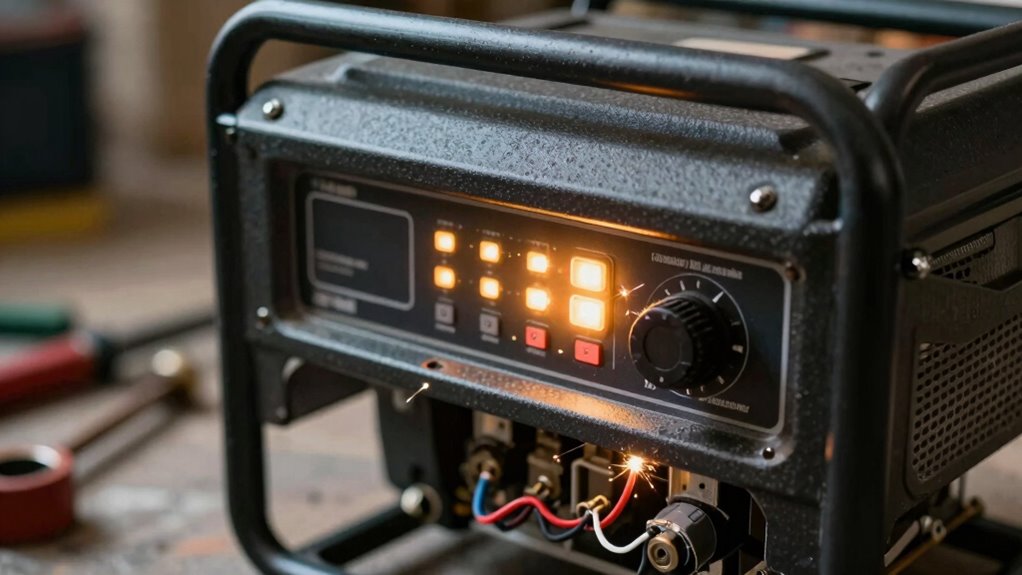
Flickering lights when running on generator power can be both frustrating and concerning, often signaling underlying issues that need quick attention. One common cause is inconsistent power output, which can stem from a misbehaving voltage regulator. The voltage regulator controls the flow of electricity from your generator, ensuring a steady voltage supply. If it’s faulty or not functioning properly, your lights may flicker as they receive fluctuating voltage levels. To troubleshoot, start by inspecting the voltage regulator for signs of damage or loose connections. If you notice corrosion, wear, or loose wires, replacing or tightening the regulator can often resolve flickering issues. Additionally, environmental factors such as temperature or humidity can affect electrical components, contributing to irregular power delivery.
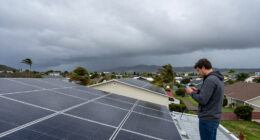
Another factor to contemplate is the integration of your solar panel system, especially if you’re using solar energy alongside your generator. Sometimes, solar panels can feed power into your system, causing voltage fluctuations that lead to flickering lights. Check your solar panel connections and ensure the system is properly synchronized with your generator. An improperly configured or malfunctioning solar panel system can cause inconsistent power flow, which your generator may struggle to compensate for, resulting in flickering. Installing a quality voltage regulator designed to handle mixed power sources can help smooth out these fluctuations and stabilize your lighting.
Ensure solar panels are properly connected and synchronized with your generator to prevent voltage fluctuations and flickering lights.
If your generator is old or underpowered, it may not be able to maintain a consistent voltage output under load, leading to flickering. Think about testing your generator’s output with a multimeter, focusing on voltage stability when the lights flicker. If the voltage varies considerably above or below your standard operating range, it’s time to service or replace the generator. Sometimes, simply upgrading the generator or adding an automatic voltage regulator (AVR) can improve stability. Furthermore, regular maintenance can prevent many issues that cause flickering and ensure your generator runs smoothly. Also, consider the role of electrical wiring quality, as poor wiring can significantly impact power stability and cause flickering.
automatic voltage regulator for generator
As an affiliate, we earn on qualifying purchases.
As an affiliate, we earn on qualifying purchases.
Frequently Asked Questions
Can Flickering Lights Damage My Home Appliances?
Flickering lights can potentially damage your home appliances, especially if caused by electrical wiring issues or power surges. These surges can overload sensitive electronics, leading to malfunctions or even permanent damage. To protect your appliances, make sure your electrical wiring is properly maintained and consider installing surge protectors. Regularly inspecting your electrical system helps prevent flickering from worsening and keeps your appliances safe from unexpected power fluctuations.
How Often Should I Perform Maintenance on My Generator?
Think of your generator as a trusty steed that needs regular care. You should perform maintenance every 50-60 hours of use or at least once a year. During this, check the generator oil and inspect the battery for corrosion or charge issues. Regular maintenance keeps your generator running smoothly, prevents flickering lights, and extends its lifespan, ensuring it’s ready when you need it most.
Is Flickering Light a Sign of Permanent Generator Damage?
Flickering lights don’t necessarily mean permanent generator damage, but they can signal issues affecting your generator’s lifespan. Power fluctuation often causes the lights to flicker, indicating potential problems like loose wiring or an aging alternator. You should inspect your generator, especially if flickering persists, as ignoring it could lead to more serious damage over time. Regular maintenance helps prevent these issues and prolongs your generator’s lifespan.
What Safety Precautions Should I Take During Troubleshooting?
When troubleshooting flickering lights on your generator, you should prioritize safety by wearing personal protective equipment like gloves and safety glasses. Make sure proper grounding of the generator to prevent electrical shocks. Before inspecting or touching any components, turn off the generator and disconnect it from power sources. Work in a dry, well-lit area, and avoid contact with live parts to minimize hazards. Taking these precautions keeps you safe while diagnosing the issue.
Can External Weather Conditions Cause Flickering Lights?
Weather impact can definitely cause flickering lights when you’re on generator power. Storms, high winds, and rain can lead to power fluctuations, disrupting your generator’s stability. These external weather conditions can cause the generator’s voltage to fluctuate, resulting in flickering lights. To minimize this, make sure your generator is well-maintained and protected from harsh weather. Monitoring weather reports and taking precautions during storms can also help prevent flickering issues caused by external factors.
multimeter for electrical testing
As an affiliate, we earn on qualifying purchases.
As an affiliate, we earn on qualifying purchases.
Conclusion
In the end, tackling flickering lights on your generator isn’t rocket science, but it does require a bit of patience and know-how. By checking connections, inspecting the voltage, and ensuring your generator is well-maintained, you can keep your lights steady and reliable. Remember, a problem shared is a problem halved, so don’t hesitate to seek professional help if needed. Stay proactive, and you’ll keep the dark at bay—because a stitch in time saves nine.
As an affiliate, we earn on qualifying purchases.
solar generator synchronization kit
As an affiliate, we earn on qualifying purchases.
As an affiliate, we earn on qualifying purchases.
Fall Picks
fall essentials
As an affiliate, we earn on qualifying purchases.