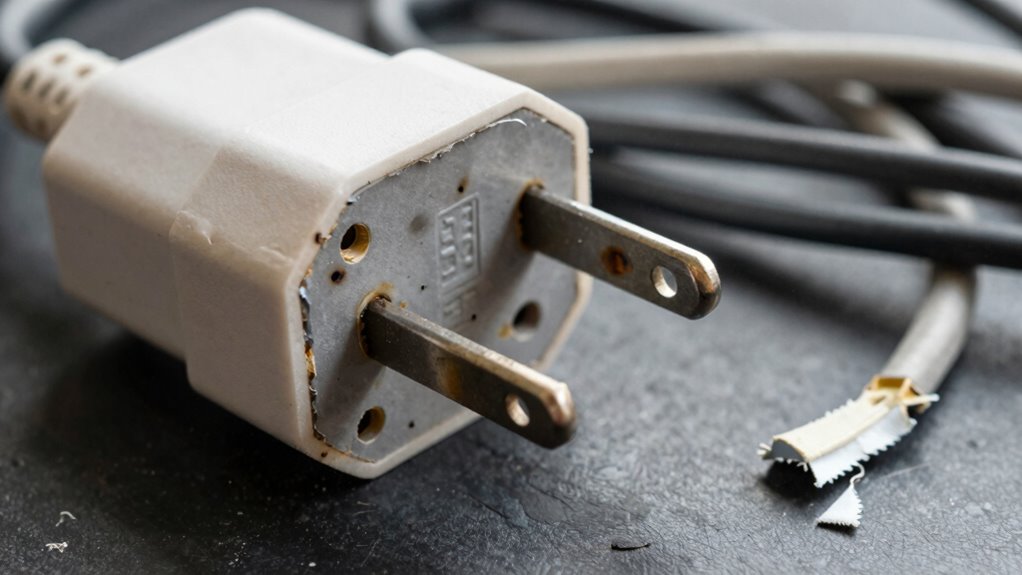

To spot a bad adapter, look for signs like overheating, strange smells, or flickering screens, which suggest power issues. Check for physical damage such as frayed wires, cracks, or discoloration. Listen for buzzing sounds or inconsistent charging behavior. Regularly inspect the adapter and make certain it matches your device’s specifications. If you notice any of these warning signs, replacing it promptly can prevent damage or safety hazards—keep discovering how to keep your devices safe.

Get backup power and energy gear delivered free with Prime
- Fast, free delivery on millions of items
- Prime Video, Amazon Music and more included
- Member-only deals all year
Key Takeaways
- Look for signs of physical damage like cracks, frayed wires, or discoloration on the adapter.
- Monitor for overheating, such as a hot adapter or a burnt smell during use.
- Check for flickering or inconsistent charging indicators on your device.
- Listen for unusual noises like humming or buzzing from the adapter.
- Ensure the adapter matches device specifications and replace if it shows signs of damage or malfunction.
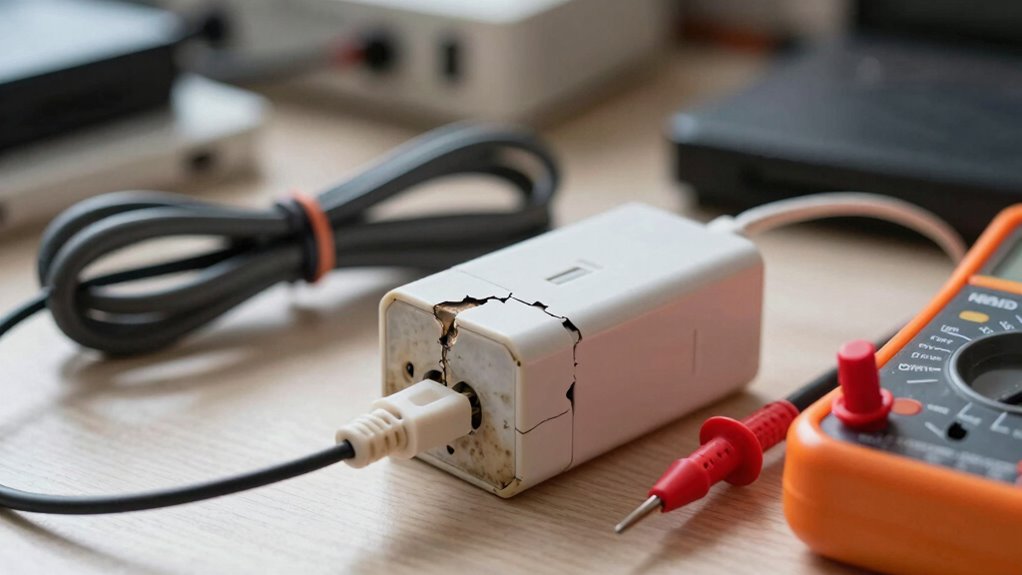
A faulty adapter can cause a lot of frustration, but catching the signs early can save you time and money. One of the most common issues with a malfunctioning adapter is the risk of a power surge. If your device suddenly shuts off, experiences unexpected reboots, or if you notice flickering screens, it could be due to an inconsistent power supply caused by a failing adapter. Power surges can damage your device’s internal components, so recognizing the early warning signs helps prevent costly repairs. Overheating issues are another clear indicator that your adapter isn’t functioning properly. If you feel heat emanating from the adapter even when your device isn’t heavily used, or if it’s become hot to the touch after minimal operation, it’s a red flag. Overheating can weaken the adapter’s internal components, leading to potential failure or fire hazards. When an adapter overheats, it often emits a burnt smell or shows visible signs of melting or discoloration, which should never be ignored.
You should also pay attention to physical signs of damage. Cracks, frayed wires, or bent prongs are obvious indicators that your adapter isn’t safe to use anymore. Sometimes, damage isn’t visible but can be detected through inconsistent charging. If your device suddenly stops charging or if the charging process takes longer than usual, the adapter might be the culprit. Faulty adapters often produce a humming or buzzing noise, which is another sign of internal malfunction. Additionally, if your device’s charging indicator flickers or fluctuates between charging and not charging, it’s a strong sign that the adapter isn’t delivering a stable power flow. Proper power management is essential for maintaining device longevity and safety. Regular inspections of your electrical components can help identify issues before they become hazardous. Ensuring your electrical safety standards are met can significantly reduce the risk of accidents related to faulty adapters. Incorporating quality standards in your charging accessories is crucial to ensure safety and reliability. Being aware of common adapter issues can help you troubleshoot problems before they escalate.
To prevent further issues, always use the correct adapter specified by your device manufacturer. Using incompatible or cheap third-party adapters can increase the risk of power surges and overheating. Regularly inspecting your adapter for signs of wear and tear helps you catch problems early. Avoid using adapters that feel overly hot or show visible damage, and replace them promptly. Keep an eye on the overall performance; if your device’s charging behavior feels inconsistent or if you notice any strange smells or sounds, it’s better to replace the adapter sooner rather than later. Addressing these signs quickly can save your device from damage, prevent potential safety hazards, and keep your electronics working reliably.
Products Worth Considering

Bose TV Speaker Compact Soundbar with Bluetooth and HDMI-ARC, Black

LEVOIT Vital 200S-P Smart Air Purifier for Large Rooms

Samsung 85-Inch M70H Series Mini LED 4K Smart TV (2026)
As an affiliate, we earn on qualifying purchases.
Frequently Asked Questions
Can a Faulty Adapter Damage My Device Permanently?
Yes, a faulty adapter can permanently damage your device. It might cause a power surge, which can overload your device’s components, or lead to an electrical burn that fries sensitive circuits. If your adapter shows signs of damage, like frayed wires or a strange smell, replace it immediately. Using a defective adapter risks irreversible harm to your device, so always make certain it’s functioning properly before plugging in.
How Long Should a Good Adapter Typically Last?
A good adapter typically lasts between 3 to 5 years, though this varies based on durability factors like build quality and usage. Did you know that poor-quality adapters often fail within a year? To maximize lifespan, avoid power surges and keep it in a cool, dry place. Regularly inspecting for wear and tear helps guarantee your adapter remains reliable, preventing unexpected device issues down the line.
Are There Specific Brands More Reliable Than Others?
Some brands are more dependable than others because of their strong brand reputation and positive consumer reviews. You should look for well-known brands with a history of quality and durability. Checking recent consumer reviews helps identify adapters that last longer and perform better. Avoid lesser-known brands or cheap options, as they often have inconsistent quality. Investing in reputable brands guarantees you get a reliable adapter that minimizes trouble and lasts longer.
What Safety Precautions Should I Take When Testing an Adapter?
Think of testing your adapter like steering through a stormy sea—safety first. Always unplug the adapter before testing, and use insulated tools to avoid shocks. Make certain your hands are dry and work in a dry, well-lit area. Follow proper testing procedures, such as checking voltage output with a multimeter. Prioritize electrical safety, never test near water, and avoid shortcuts to prevent accidents or damage. Safety keeps your journey smooth and secure.
Can Temperature Affect an Adapter’s Performance?
Temperature fluctuations can considerably affect your adapter’s performance. When exposed to extreme heat or cold, it may struggle to deliver consistent power, leading to potential overheating risks. Overheating can damage internal components, causing the adapter to fail prematurely or pose safety hazards. To guarantee ideal performance, keep your adapter in a cool, dry environment and avoid sudden temperature changes that could stress its components.
Conclusion
A faulty adapter might seem harmless at first, like a quiet whisper before a storm. But ignore the warning signs, and you risk more than just inconvenience—you could face device failure or safety hazards. Think of it as a fragile bridge—trust it, and your connection remains steady; neglect it, and disaster strikes. Stay vigilant, test regularly, and replace when needed. Because in the end, a reliable adapter keeps your tech running smoothly, while a bad one just invites trouble.